Markdown Navigation
Complete guide covering all features and Markdown support in this blog template.

The site has been migrated. The following is content from the old site.
This blog template is built with Astro. For the things that are not mentioned in this guide, you may find the answers in the Astro Docs.
1. Post Front-matter
---title: { TITLE }published: { DATE }description: { DESCRIPTION }image: { COVER_IMAGE_PATH }tags: { TAGS }category: { CATEGORY }location: { LOCATION }draft: { BOOLEAN }------title: "Title"excerpt: "Display on the card"date: 1970-01-01category: "essays"tags: ["apache", "cncf"]author: "Jysve"thumbnail: ./cover.webpthumbnailAlt: "Comments on the cover."featured: false---| Attribute | Description |
|---|---|
title | The title of the post. |
published | The date the post was published. |
updated | The date the post was last updated. |
description | A short description of the post. Displayed on index page. |
tags | The tags of the post. |
category | The category of the post. |
location | The location where the essay was written or the theme happens |
draft | If this post is still a draft, which won’t be displayed. |
2. Post File Placement
Your post files should be placed in src/content/essays/ directory. You can also create subdirectories to better organize your posts and assets.
src/content/posts/├── post-1.md└── post-2/ ├── cover.png └── index.md3.1 Headers
H3 Mathematical Foundations
H4 Core Algebraic Concepts
H5 Elementary Number Theory
H6 Basic Arithmetic Properties
3.2 Text Formatting
- Italic text
- Bold text
- Bold and italic text
StrikethroughInline code- Link to example
(Example image path)
3.3 Lists
Unordered list
- Mathematical analysis
- Limits and continuity
- Differential calculus
- Linear algebra
- Matrix operations
- Vector spaces
Ordered list
- Identify the problem type
- List known conditions and variables
- Define independent variables
- Note given constraints
- Apply relevant theorems or formulas
- Verify the solution
3.4 Blockquotes
This is a blockquote.
It can span multiple lines.
3.5 Code Blocks
// This is a code block with syntax highlightingfn main() -> Result<(), Box<dyn std::error::Error>> { let users = vec![ User::new(1, "Alice".to_string()), User::new(2, "Bob".to_string()), ];
let user_map = Arc::new(process_users(users)); println!("Processed users: {:?}", user_map); Ok(())}// Code block without syntax highlightingprintln!("Hello, world!");3.6 Tables
| Alignment | Mathmaticians’ Proof |
|---|---|
| Lawful Good | Therefore, we have presented the proof with the utmost attention to detail. |
| Neutral Good | Proof. The proof of this theorem can be found in [4, 18]. |
| Lawful Neutral | ¹ We omit the straightforward yet tedious details of the proof. |
| True Neutral | We outline the proof of this result. |
| Chaotic Neutral | Proof. This has been verified using C++. |
| Lawful Evil | The reader is encouraged to verify this as an exercise. |
| Neutral Evil | PROOF. Trivial. |
| Chaotic Evil | ¹ This was revealed to me in a dream. |
3.7 Horizontal Rule
3.8 Footnotes and Images
 This is a footnote reference1.
4. Extended Markdown Features
4.1 Customize Cards
4.1.1 GitHub Repository Card
You can add dynamic cards that link to GitHub repos.
On page load, the repository information is pulled from the api.github.com.
The data will be cached for 12 hours in localStorage.
And this site’s progress module will cache data in the same way, too, which
is used to display the {user}’s issues and pulls status.
The {user} can be defined in the config.ts under src/.
Create a GitHub repository card with the code ::github{repo="{owner}/{repository}"}.
::github{repo="apache/iggy"}::github{repo="apache/opendal"}4.1.2 Personal Links Card
 JunchawSRE@Tesla, full stack developer
You can use codes below to create a personal links card. It will be loaded from the site source locally rather than from the outer web.
:::hyperlink{href="{target_uri}" title="{title}" avatar="path/to/avatar" description="{say_something}"}:::4.2 Admonitions
Following types of admonitions are supported: note tip important warning caution
Highlights information that users should take into account, even when skimming.
Optional information to help a user be more successful.
Crucial information necessary for users to succeed.
Critical content demanding immediate user attention due to potential risks.
Negative potential consequences of an action.
4.2.1 Custom Titles
The title of the admonition can be customized.
This is a note with a custom title note.
This is a note with a custom title warning.
Basic syntax:
:::noteHighlights information that users should take into account, even when skimming.:::
:::tip[Custom Title]This is a tip with a custom title.:::4.2.2 GitHub Syntax
[!NOTE] The GitHub syntax is also supported.
> [!NOTE]> The GitHub syntax is also supported.
> [!TIP]> The GitHub syntax is also supported.4.3 Spoilers
You can add spoilers to your text. The text also supports Markdown syntax.
The content is hidden ayyy!
The content :spoiler[is hidden **ayyy**]!5. Media Embedding
5.1 Videos
You can embed videos from various platforms like YouTube or Bilibili by copying and pasting the embed code:
5.1.1 YouTube
6. Draft Posts
You can mark posts as drafts by setting draft: true in the frontmatter. Draft posts will not be visible to visitors but can be previewed during development.
When the article is ready for publication, update the “draft” field to “false” in the Frontmatter:
---title: Draft Examplepublished: 2020-08-27T17:00:41Ztags: [Markdown, Blogging, Demo]category: Examplesdraft: false---Here, we’ll explore how code blocks look using Expressive Code. The provided examples are based on the official documentation, which you can refer to for further details.
7. Expressive Code
7.1 Syntax Highlighting
7.1.1 Regular Syntax Highlighting
let numbers = vec![1, 2, 3, 4, 5];let doubled: Vec<i32> = numbers .iter() .map(|&x| x * 2) .filter(|&x| x > 4) .collect();println!("Doubled numbers: {:?}", doubled);7.1.2 ANSI Escape Sequences Rendering
ANSI colors in terminal output:- Regular: Red Green Yellow Blue Magenta Cyan- Bold: Red Green Yellow Blue Magenta Cyan- Dimmed: Red Green Yellow Blue Magenta Cyan
Rust color styling example:Error: Something went wrongWarning: This is just a warningSuccess: Operation completed successfully7.2 Editor & Terminal Frames
7.2.1 Code Editor Frames
use tokio::time::{sleep, Duration};
#[tokio::main]async fn main() -> Result<(), Box<dyn std::error::Error>> { let handles: Vec<_> = (0..3) .map(|i| { tokio::spawn(async move { sleep(Duration::from_millis(100 * i)).await; println!("Task {} completed", i); }) }) .collect();
for handle in handles { handle.await?; } Ok(())}pub fn hello_world() { println!("File name comment example");}7.2.2 Terminal Frames
cargo runcargo build --release7.2.3 Frame Type Override
rustc main.rs[package]name = "my_project"version = "0.1.0"edition = "2021"
[dependencies]tokio = { version = "1.0", features = ["full"] }serde = { version = "1.0", features = ["derive"] }7.3 Text & Line Markers
7.3.1 Full Lines & Range Marking
// Line 1 - targeted by line numberfn main() { let x = 42; // Line 4 - targeted by line number println!("x = {}", x);
// Line 7 - targeted by range "7-8" // Line 8 - targeted by range "7-8" let y = x * 2;}7.3.2 Line Marker Types (mark/ins/del)
fn demo() -> String { println!("this line is marked as deleted"); // This line and the next one are marked as inserted println!("this is the second inserted line");
"this line uses the neutral default marker type".to_string()}7.3.3 Line Marker Labels
struct Button { props: Props, value: String, class_name: String, disabled: bool, active: bool,}
impl Button { fn render(&self) -> String { if self.children.is_some() && !self.active { format!("<span>{}</span>", self.children.as_ref().unwrap()) } else { String::new() } }}7.3.4 Multi-line Long Labels
struct Button { props: Props,
value: String, class_name: String,
disabled: bool, active: bool,}
impl Button { fn render(&self) -> String { if self.children.is_some() && !self.active { match self.children.as_ref().unwrap() { Child::Text(text) => format!("<span>{}</span>", text), Child::Element(elem) => elem.to_string(), } } else { String::new() } }}7.3.5 Diff-like Syntax
pub fn new_function() -> Result<String, Error> {this fn old_function() -> String { Ok("this is a regular line".to_string()) Ok("this line will be marked as inserted".to_string())}this line will be marked as deleted--- a/src/main.rs+++ b/src/main.rs@@ -1,3 +1,4 @@+use std::collections::HashMap; fn main() {- println!("Hello, world!");+ let mut map = HashMap::new();+ map.insert("key", "value"); }7.3.6 Syntax Highlighting + Diff
fn this_is_rust() { // This entire block gets highlighted as Rust, // and we can still add diff markers to it! println!("Old code to be removed"); println!("New and shiny code!");}7.3.7 Inline Text Marking
fn demo() -> String { // Mark any given text inside lines "Multiple matches of the given text are supported".to_string()}7.3.8 Regular Expression Marking
println!("The words yes and yep will be marked.");7.3.9 Forward Slash Escaping
std::fs::write("/home/test.txt", "Test")?;7.3.10 Inline Marker Types
fn demo() -> bool { println!("These are inserted and deleted marker types"); // The return statement uses the default marker type true}7.4 Word Wrap
7.4.1 Per-block Word Wrap Config
// Example with wrapfn get_long_string() -> String { "This is a very long string that will most probably not fit into the available space unless the container is extremely wide".to_string()}// Example with wrap=falsefn get_long_string() -> String { "This is a very long string that will most probably not fit into the available space unless the container is extremely wide".to_string()}7.4.2 Wrapped Line Indentation
// Example with preserveIndent (enabled by default)fn get_long_string() -> String { "This is a very long string that will most probably not fit into the available space unless the container is extremely wide".to_string()}// Example with preserveIndent=falsefn get_long_string() -> String { "This is a very long string that will most probably not fit into the available space unless the container is extremely wide".to_string()}7.5 Collapsible Sections
5 collapsed lines
// All this boilerplate setup code will be collapseduse std::sync::{Arc, Mutex};use tokio::runtime::Runtime;
let runtime = Arc::new(Mutex::new(Runtime::new()?));let engine = Engine::new(runtime.clone());
// This part of the code will be visible by defaultengine.do_something(1, 2, 3, calc_fn)?;
fn calc_fn() -> i32 {3 collapsed lines
// You can have multiple collapsed sections let a = 1; let b = 2; let c = a + b;
// This will remain visible println!("Calculation result: {} + {} = {}", a, b, c); c}4 collapsed lines
// All this code until the end of the block will be collapsed againengine.close_connection()?;engine.free_memory();engine.shutdown(ShutdownReason::EndOfExample)?;7.6 Line Numbers
7.6.1 Per-block Line Number Display
// This code block will show line numbersuse std::collections::BTreeMap;
let mut scores = BTreeMap::new();scores.insert("Alice", 95);scores.insert("Bob", 87);println!("Total players: {}", scores.len());// Line numbers are disabled for this blockprintln!("Hello?");println!("Sorry, do you know what line I am on?");7.6.2 Custom Starting Line Number
println!("Greetings from line 5!");println!("I am on line 6");8. Math Equations
Inline math equations go in like so: . Display math should get its own line and be put in double-dollarsigns:
And note that you can backslash-escape any punctuation characters which you wish to be displayed literally, ex.: `foo`, *bar*, etc.
8.1 Linear Algebra Formulas
Matrix operation example:
Matrix multiplication:
Where:
Eigenvalue problem:
8.2 Partial Differential Equations
8.2.1 Heat Equation
One-dimensional heat equation:
Three-dimensional heat equation:
8.2.2 Wave Equation
One-dimensional wave equation:
8.2.3 Laplace Equation
Two-dimensional Laplace equation:
8.2.4 Navier-Stokes Equations
Navier-Stokes equations for incompressible fluids:
Continuity equation:
8.3 Vector Calculus
Gradient:
Divergence:
Curl:
References
-
The Sky over Jade Abyss Lake, Beijing, China. ↩

Continue reading
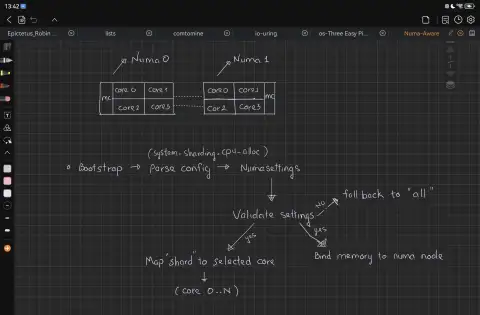
Encounter Apache Iggy
Documenting my experience as a student contributing to Apache Iggy, an incubating high‑performance message‑streaming project under the Apache Software Foundation. It covers many obstacles overcoming, alongside pitfalls.
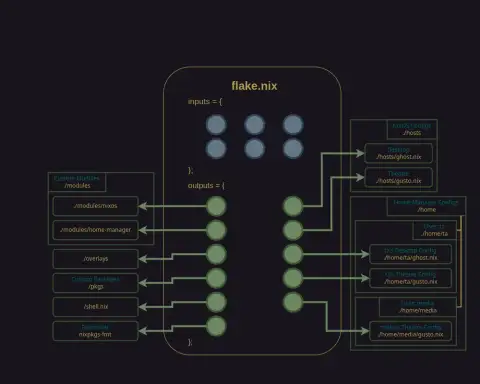
NixCN Conference Shanghai
This is a casual note, documenting my personal experience attending the inaugural NixCN Conference held in Shanghai, China, in August 2025, hosted by Prince213. However, I no longer use Nix, just leaving this here as a memento.
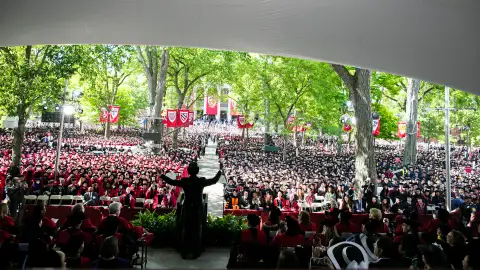
The Person You Ought to Be
Reflections on Clips from the 2022 Harvard Commencement Ceremony.